
Albedo
Track satellites with precision. Get weather-based visibility predictions. Experience the cosmos from your pocket.

Why I Built Albedo
I’m passionate about astronomy and regularly use the Heavens Above website to track satellites. I wanted to create an app with the same level of accuracy, but delivered through a polished and enjoyable mobile experience
I knew from the start that it would be a relatively advanced app, but that challenge was intentional. It pushed me to dive deep into the codebase, explore Apple’s documentation, run into bugs, learn how to solve them, and develop clean, well-structured code. The design was intentionally kept very native, following Apple’s Human Interface Guidelines and drawing inspiration from the button styles and overall feel of Apple Maps.
Technical Challenge
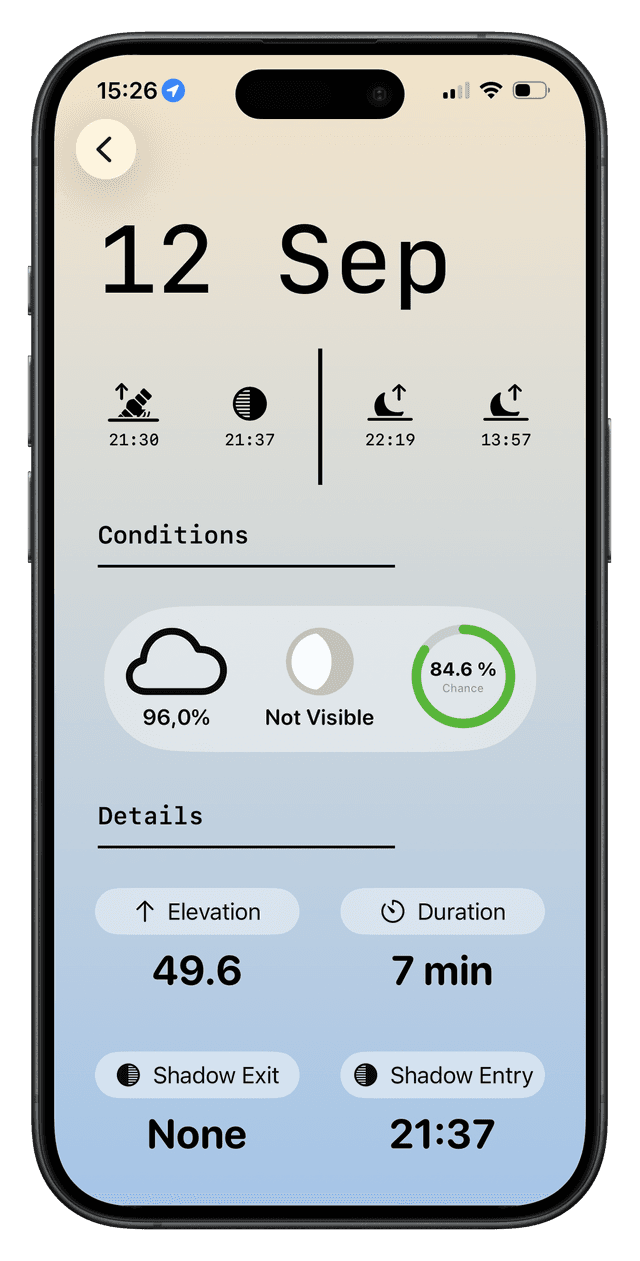
One major challenge was processing data from three APIs, mapping them into entities, applying business logic to calculate statistics, and handling it all with structured concurrency. Another was implementing physics calculations to pinpoint when satellites enter and exit Earth’s shadow and track magnitude variations for each pass.
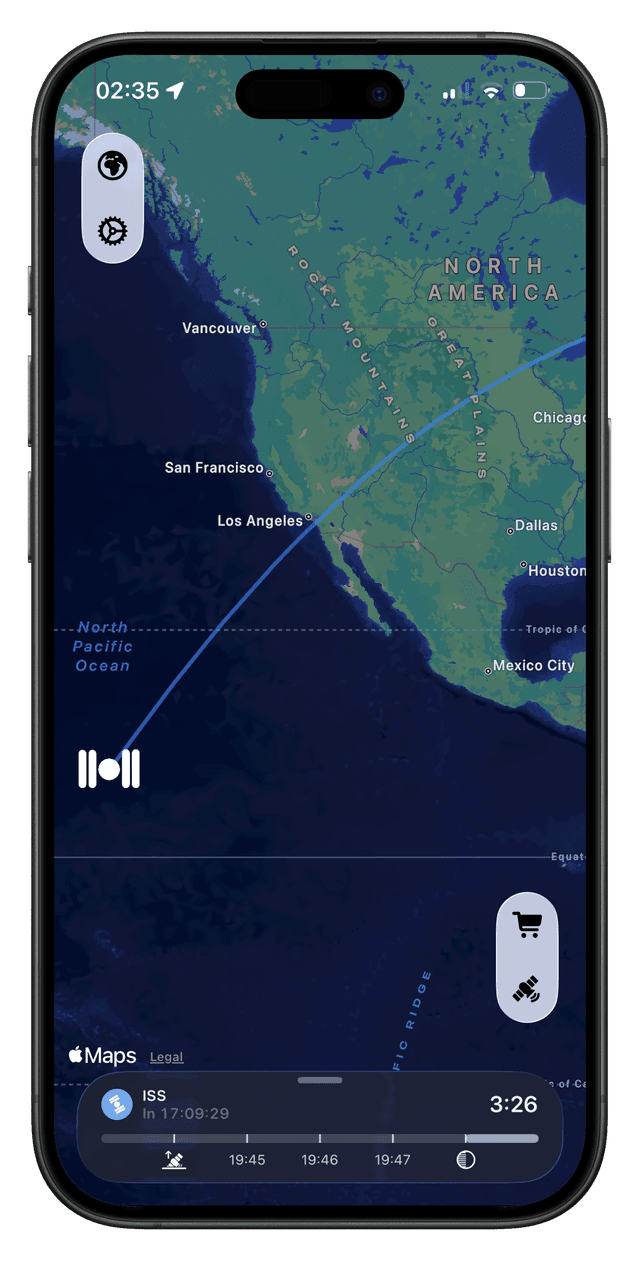
Live Ground Tracks
I created AlbedoKit, my Swift Package Manager for handling orbital mechanics calculations. It enables clean code reuse and makes it easy to write focused, targeted tests for each component, ensuring a modular and maintainable design.
public static func calculateOrbitPaths(for satellite: Satellite) throws -> [CLLocationCoordinate2D] {
    var coordinates: [CLLocationCoordinate2D] = []
    let startDate = Date()

    for minute in 0...90 {
        let futureDate = startDate.addingTimeInterval(Double(minute) * 60)
        let position = try satellite.geoPosition(julianDays: futureDate.julianDate)
        let coordinate = CLLocationCoordinate2D(
            latitude: position.lat,
            longitude: position.lon - floor((position.lon + 180) / 360) * 360
        )
        coordinates.append(coordinate)
    }
    return coordinates
}
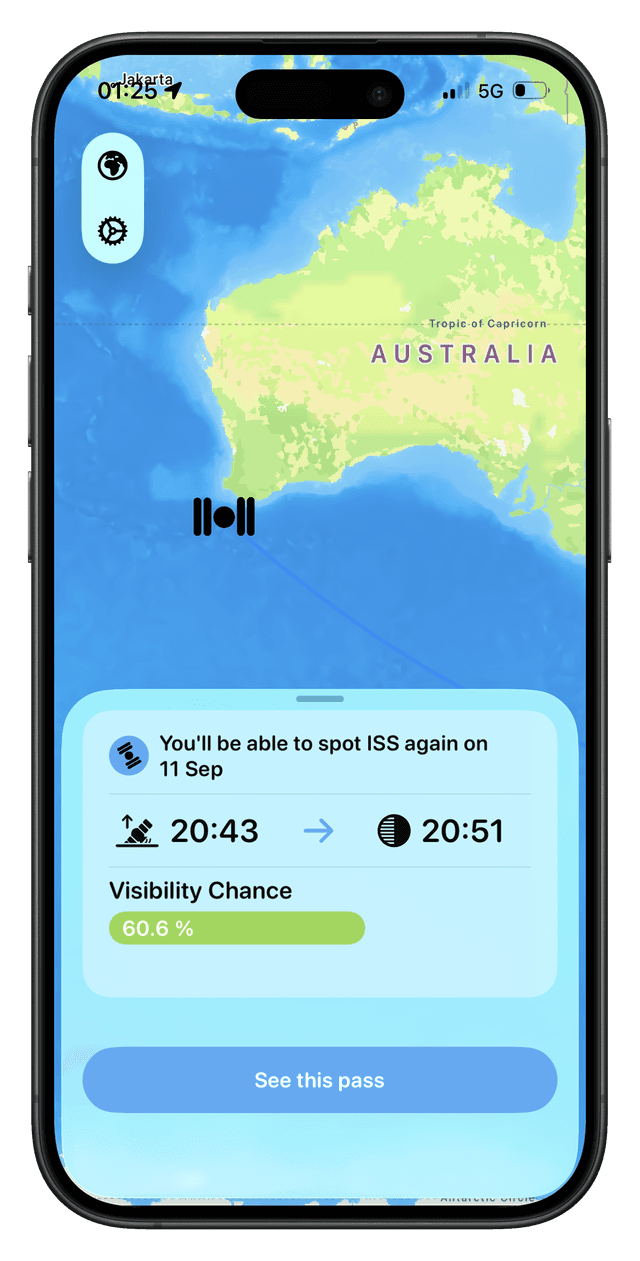
Ground tracks calculation method: SGP4 for low Earth orbit satellites (90-minute revolutions), SDP4 for high orbit satellites. Implementation from my custom Swift Package Manager AlbedoKit.
Structured Concurrency
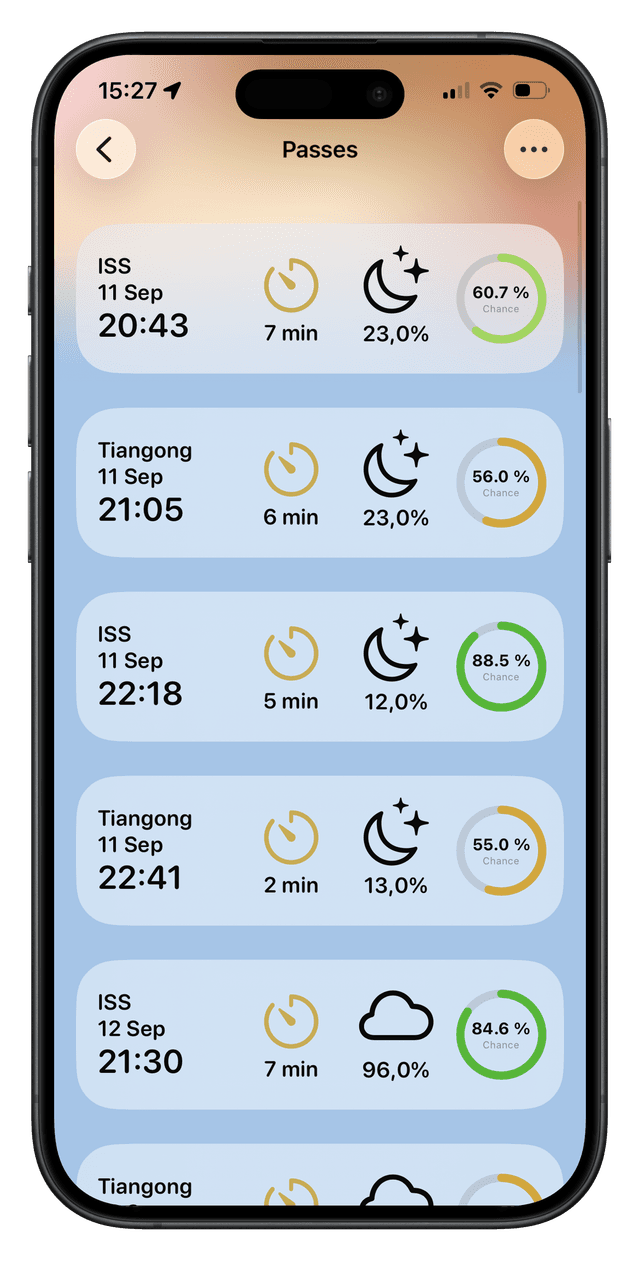
Anything that could be fetched or calculated in parallel was handled with structured concurrency. TaskGroup and async let were my best friends for delivering a smooth and responsive experience for the user. WeatherKit played a key role as well, offering seamless Swift integration and a rich set of comprehensive data.
let validPasses = try await withThrowingTaskGroup { group in
    for pass in passResult.passes {
        group.addTask(name: "Create domain pass") {
            // ... Get Pass Times
            let satellitePass = SatellitePass(satellite: satellite, startTime: startTime, setTime: setTime, observer: userLocationLLA)
            let shadowEvent = try await ShadowEvents.calculateShadowEvents(satellitePass)
            let riseTime = await mapper.getRiseTime(startTime, shadowEvent)
            let setTime = await mapper.getSetTime(endTime, shadowEvent)

            async let celestialWeatherSC = mapWeather(riseTime, setTime, weather)
            async let apparentMagnitudesSC = try Magnitude.calculateMagnitudeRange(satellitePass)

            let (celestialWeather, apparentMagnitudes) = try await (celestialWeatherSC, apparentMagnitudesSC)
            // ... Domain Pass
        }
    }
    var results: [Pass] = []
    results.reserveCapacity(passResult.passes.count)

    for try await pass in group {
        results.append(pass)
    }
    return results
}
Albedo powered by WeatherKit for pass forecasting, visibility probability calculations, and weather conditions analysis.
Visual Tracking & Navigation
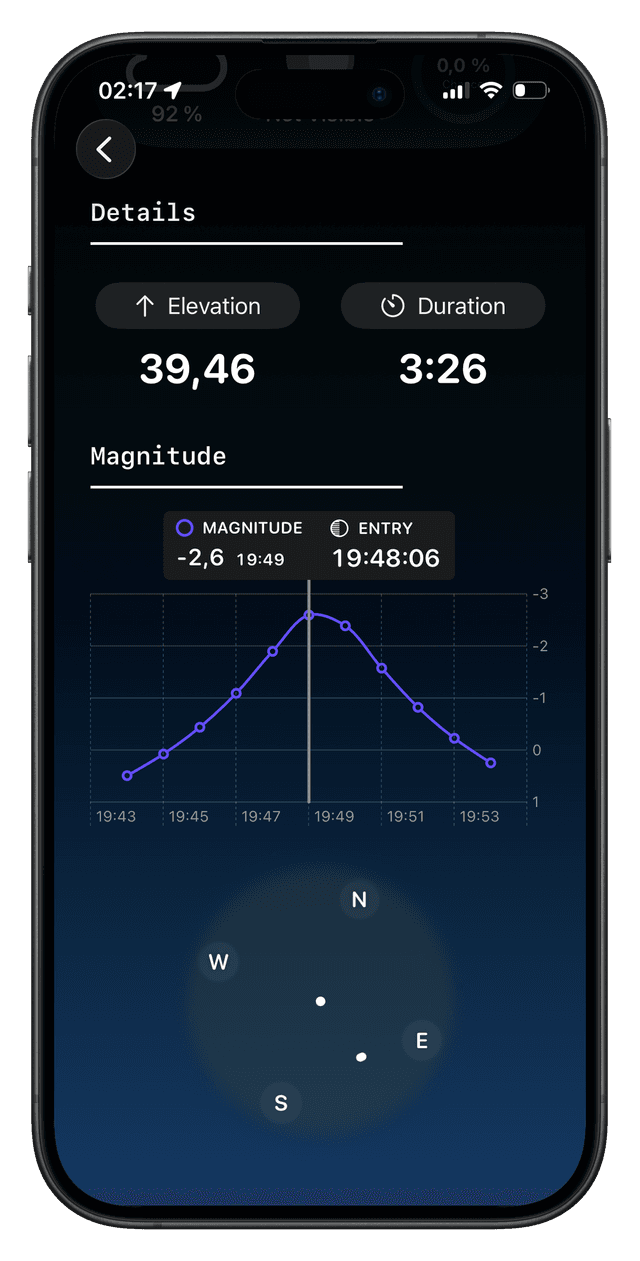
I loved Swift Charts from the very first day I discovered it. I find this framework incredibly powerful for displaying real-time statistics, and it was a perfect fit for my use case.
Chart(model.pass.apparentMagnitudes) { magnitude in
    if let date = magnitude.date,
       let magnitude = magnitude.magnitude {
        Plot {
            LineMark(
                x: .value("Date", date, unit: .second),
                y: .value("Magnitude", magnitude)
            )
            .foregroundStyle(.chartPrimary)
            .symbol(by: .value("Magnitude", "Magnitude"))
            .interpolationMethod(.catmullRom)
        }

        switch model.selectionState {
        case .selected(let selectedMagnitude):
            RuleMarkSelection(selectedMagnitude: selectedMagnitude, shadowEvent: model.pass.shadowEvent)
        case .unselectedWithShadowEvent(let shadowState):
            ShadowRuleMark(shadowState: shadowState)
        case .unselected:
            EmptyRuleMark()
        }
    }
}
.animation(.easeOut(duration: 0.3), value: model.rawSelectedDate)
Chart selection switcher using chartXSelection to manage interactive data visualization.
Live Activity
While I initially created a demo implementing Apple's Live Activity to display satellites passing in real time on the lock screen / dynamic island, I decided to leave it aside for now to focus on core, essential features. This allowed me to deliver a working product quickly, gather user feedback, and iterate efficiently.
DynamicIslandExpandedRegion(.leading) {
    HStack {
        Image(context.attributes.satellitePic)
            .resizable()
            .aspectRatio(contentMode: .fit)
            .frame(width: 21)
        Text(context.attributes.satelliteName)

    }
    .padding(.leading, 8)
    .minimumScaleFactor(0.7)
    .lineLimit(1)
}
Chart selection switcher using chartXSelection to manage interactive data visualization.
What's under the hood
Technologies and frameworks powering Albedo's precision
Apple Frameworks
Ground tracks
Visibility forecasts
Data visualization
In-app purchases
Position tracking
Other Packages
I initially created my own package, AlbedoKit, to handle magnitude calculations and Earth shadow computations. I proposed integrating it into SatelliteKit, but the maintainer preferred to keep that library focused on its core functionality. Instead, he suggested contributing to SatelliteUtilities, a project specialized in satellite processing such as ground tracks, where I successfully added my work.
In addition, I built a custom backend with Vapor to implement intelligent caching. This allows users to share cached API data, reducing redundant API calls and improving performance.
Backend
TLE parsing & mechanics
Moon illumination
Coordinate transforms
Architecture
Throughout Albedo's development, I iteratively refactored the application architecture to deeply understand SwiftUI patterns. I evolved from basic MV to MVVM, then embraced Clean Architecture principles for better separation of concerns. The final iteration features a horizontal, modular architecture built with Swift Package Manager, enabling excellent scalability, comprehensive testing, and seamless feature additions without disrupting the entire codebase.

BarTinder
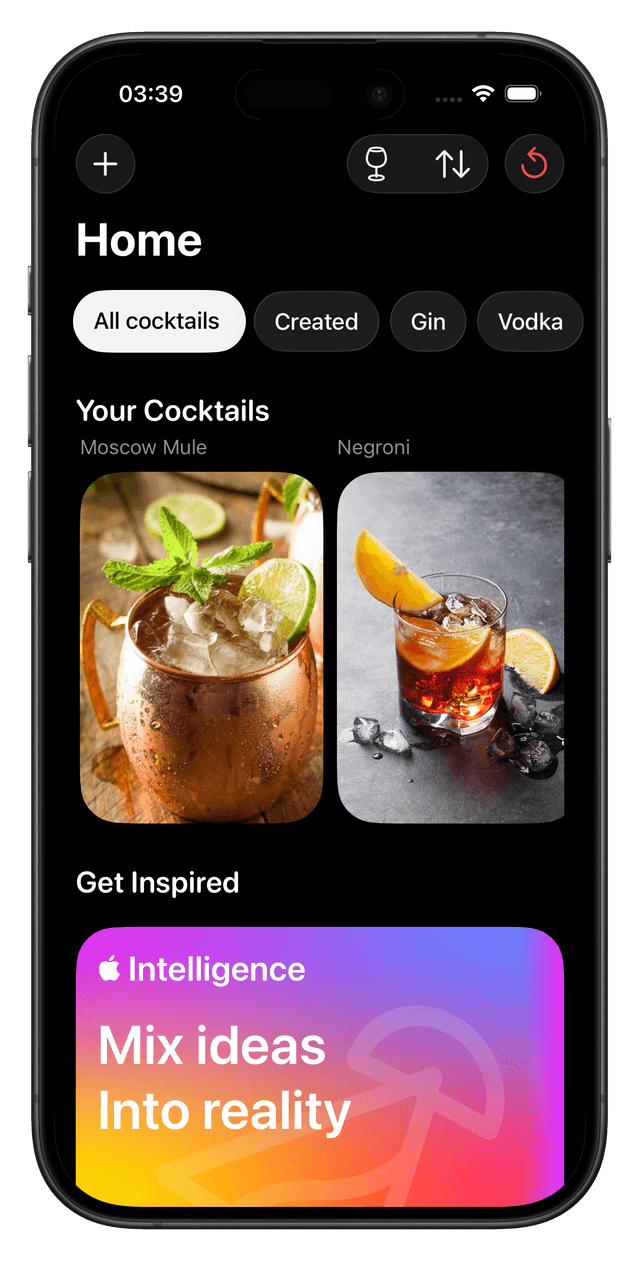
Swipe through ingredients. Discover cocktails. Create your own recipes. The modern way to explore mixology.

Why I Built BarTinder
Since Albedo is an app focused on REST APIs and physical calculations, I also wanted to create a simpler CRUD application that allows adding, updating and deleting items using Swift Data.
Built with the simplicity and modern approach of SwiftUI, BarTinder serves as an excellent learning resource for iOS developers at any level. The app leverages the latest iOS 26 APIs and features, including Foundation Models (Apple Intelligence), Liquid Glass design elements, SwiftData for CRUD operations, and Xcode 26's Default Actor Isolation and Approachable Concurrency settings.
Since I don't have a formal UI/UX design background, I drew heavy inspiration from Apple's stock applications and design language. I pay close attention to Apple's Human Interface Guidelines to ensure the app feels truly native.
I also wanted to build BarTinder with a clean, readable architecture while respecting proper separation of concerns. I wrote extensive tests using Swift Testing to practice modern testing techniques, with Xcode Cloud automatically catching any breaking changes. By focusing on the CRUD aspect, lists, scroll views and UI/UX, I was targeting a common application pattern that is widely used across many types of products.
Technical Challenge
Allowing users to cancel cocktail edits while using @Bindable presented a significant challenge. The solution required creating a draft SwiftData context to handle temporary changes, carefully managing potential conflicts between different contexts and @Query, all while maintaining clean and maintainable code architecture throughout the project.
Swipe Gesture
I wanted to push my skills with advanced SwiftUI animations, and I managed to recreate the Tinder-style swipe in a smooth and intuitive way. SwiftUI includes a new GestureState property wrapper that automatically resets to its default value when the gesture ends. However, I chose not to use it because my system needed to work with a threshold and disappearance animations.
private func handleSwipe(_ value: DragGesture.Value) {
    if value.translation.width >= threshold {
        offset = BarTinderApp.SwipingSettings.swipeOutDistance
        rotation = BarTinderApp.SwipingSettings.maxRotation
        Task { await model.swipeRight(card: cardIngredient) }
    } else if value.translation.width <= -threshold {
        offset = -BarTinderApp.SwipingSettings.swipeOutDistance
        rotation = -BarTinderApp.SwipingSettings.maxRotation
        Task { await model.swipeLeft(card: cardIngredient)  }
    } else {
        offset = 0
        rotation = 0
    }
}
Swipe gestures managed with threshold detection, offset calculations, and rotation animations for smooth card interactions.
Discover Perfect Matches
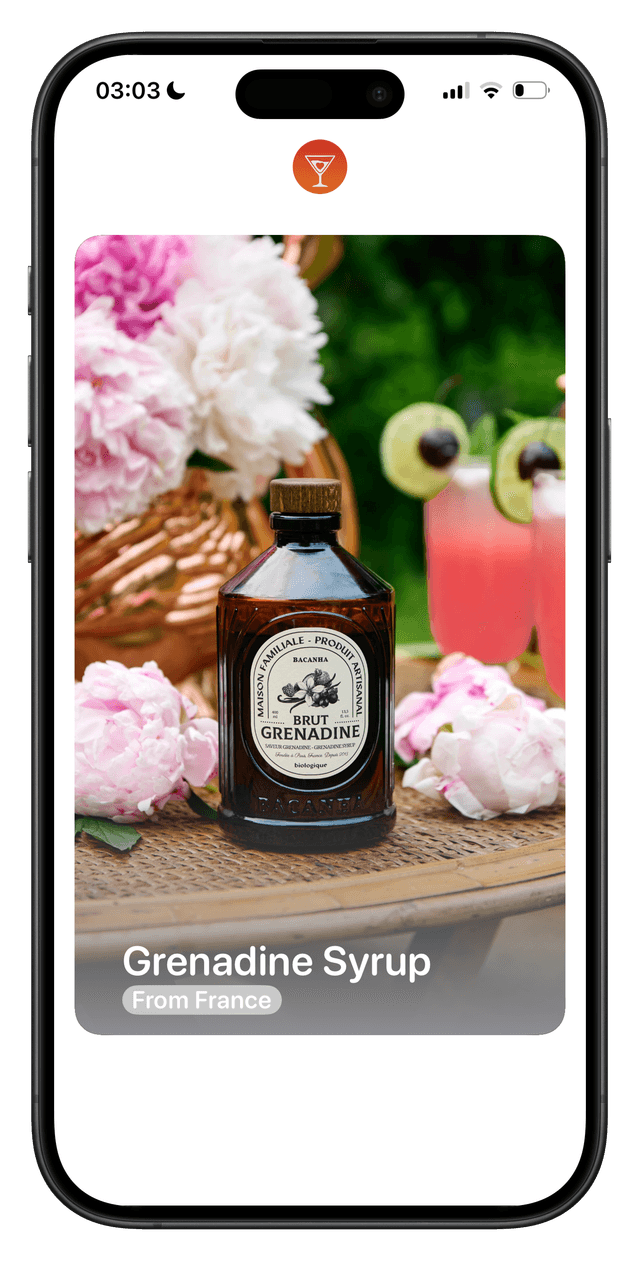
By tracking the ingredients users like through swipe gestures, I use sets to quickly identify which cocktails they can make with their chosen ingredients. There are multiple ways to achieve this, but it struck me to use isSuperset when designing the ingredient comparison system.
func executeUpdatePossibleCocktails() {
    let cocktails = repo.callGetContextContent()
    for cocktail in cocktails {
        let ingredientNames = Set(cocktail.ingredients.map(\.name))
        if selectedIngredients.isSuperset(of: ingredientNames) {
            cocktail.isPossible = true
        }
    }
    repo.callContextSave()
}
My first idea was to use Sets for easy ingredient comparison, and even deduce missing ingredients if needed.
Cocktail Creation
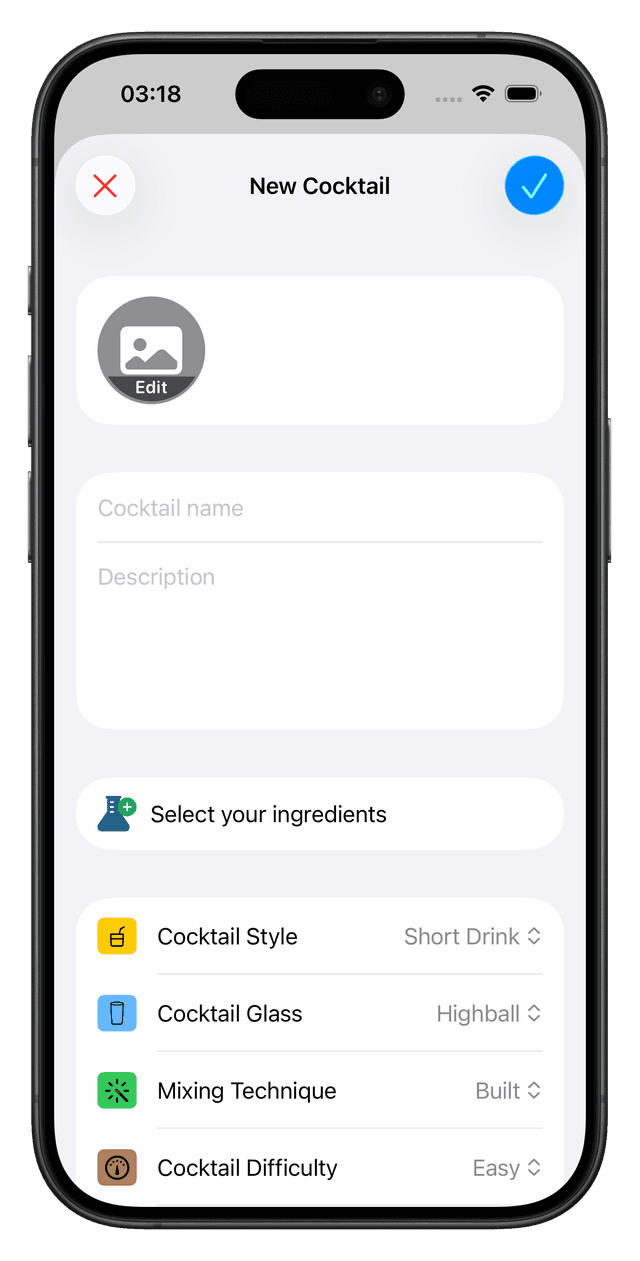
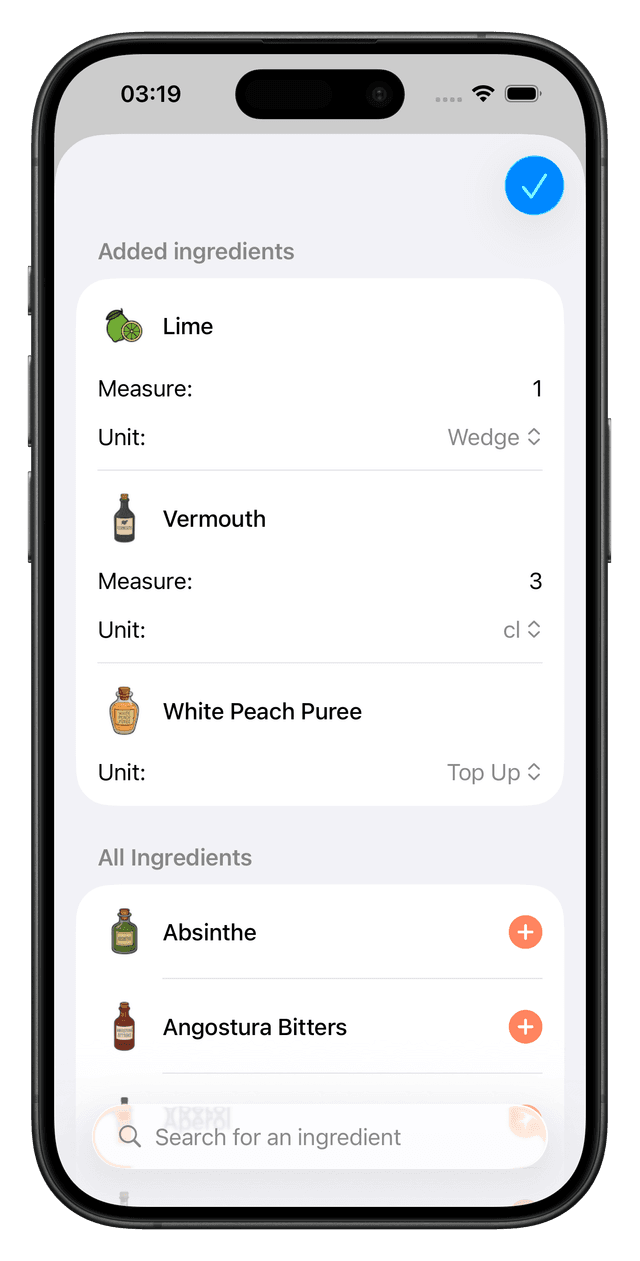
The goal was to provide a single view for both creating and editing a cocktail. This keeps the user in context and ensures reusability. I implemented this feature using a generic Swift Data draft context. This way, the view is only responsible for doing its job: displaying content.
struct CreateEditCocktail: View {
    @Environment(\.modelContext) private var context
    @State private var model = CocktailCreationModel()
    @Bindable var cocktail: Cocktail

    var body: some View {
        List {
            Section {
                CocktailPreviewSection(selectedImage: $model.selectedPic, cocktail: cocktail)
            }
            // ...
        }
        .toolbar {
            CreationToolbar(cocktail: cocktail)
        }
        .navigationTitle(context.insertedModelsArray.isEmpty ? "Edit Cocktail" : "New Cocktail")
        .navigationBarBackButtonHidden()
        .navigationBarTitleDisplayMode(.inline)
        .scrollDismissesKeyboard(.interactively)
        .environment(model)
    }
}
Since @Model uses @Observable under the hood, I can directly bind cocktail properties to UI components like TextFields and Pickers. This allows me to pass a @Bindable cocktail to the view and use the same view for both creating and editing.
Swift Data
I leveraged Swift Data to its full potential, using all the features it offers. The Index macro improves performance when iterating heavily over certain values. I also learned to use the externalStorage option to avoid storing large data directly in the main storage.
@Model
final class Cocktail {
    #Index<Cocktail>([\.isInBar, \.isPossible])

    @Attribute(.unique)
    var name: String
    @Relationship(deleteRule: .cascade, inverse: \Ingredient.cocktail)
    var ingredients: [Ingredient]
    var isInBar: Bool
    var isPossible: Bool
    var imageName: String?
    @Attribute(.externalStorage)
    var imageData: Data?
    var style: CocktailStyle
    var glass: CocktailGlass
    var mixingTechnique: CocktailMixingTechnique
    var difficulty: CocktailDifficulty

    init(...) { ... }
}

@Model
final class Ingredient {
    var name: String
    var measure: String
    var unit: Units

    var cocktail: Cocktail?

    init(...) { ... }
}
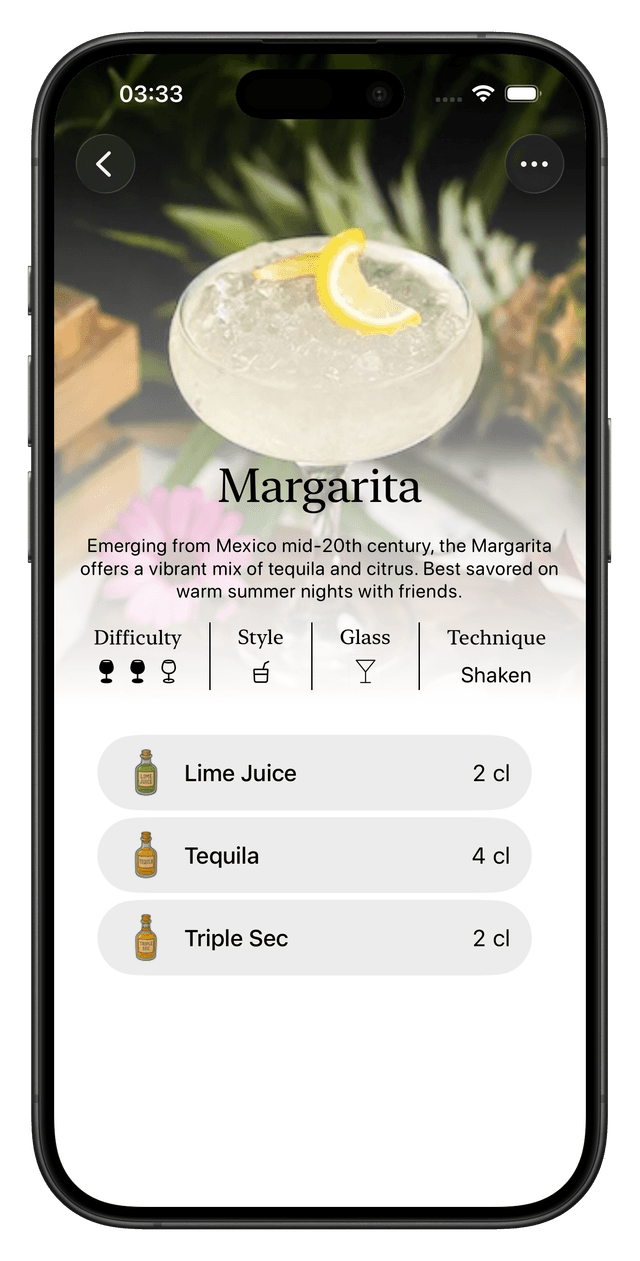
A cocktail has a lot to offer. It includes glassware, style, technique, and difficulty.
Plus ingredients with measurements and units.
What's under the hood
Technologies and frameworks powering BarTinder's cocktail experience
Apple Frameworks
Local persistence
Unit testing
Photo selection
Apple Intelligence
